My Servers
Every server you run, in its own colours. Drag a card's ⠿ to reorder.
Add Server
Give your server a name and an API key will be generated for your plugin config.
Server Overview
Growth & Retention
who is arriving, who is staying, who has drifted offArrivals
Drifted Off
Retention Curve
share of new players still coming back after…Engagement
who plays the most — and who storms off| Loading... |
Live
who is on the server right nowCombat
how fights on your server play outHow Players Die
Top Weapons
PvP + PvE killsProgression
plugin levels and ranks| Loading... |
| Loading... |
The Roster
| Player | Playstyle | VIP | Sessions | Playtime | PvP Kills | PvE Kills | Deaths | PvP K/D | PvE K/D | Level | Rank | Last Seen |
|---|---|---|---|---|---|---|---|---|---|---|---|---|
| Loading... | ||||||||||||
Player Profile
| Joined | Duration | Quit Reason |
|---|
| Weapon | Type | When |
|---|
| Victim | Weapon | When |
|---|
The Long Haul
Every survivor ranked by time spent on the island, counted from their tracked sessions. All-time carries across wipes — switch to it to see the veterans who haven't come back yet.
Hall of Hours
the three who've put in the most timeThe Logbook
everyone, by hours on the islandThe Range
The server's deadliest shots — headshot kills, long-range kills and the single longest kill ever landed. Accuracy is career hits ÷ shots fired.
The Armory
Every weapon used on this server, racked and ranked. Pick one off the wall for its leaderboard, mastery levels and accuracy.
Weapon
Server leaderboard and mastery for this weapon.
New Unique Players
Real new humans (≥5 min playtime). Lifetime ledger survives wipes.
| Rank | Player | First Seen | Playtime |
|---|---|---|---|
| Loading... | |||
Top Rage Quitters
Players ranked by how many times they logged off on a death streak (≥2 deaths just before quitting).
| Rank | Player | Rage Quits | Actions |
|---|---|---|---|
| Loading... | |||
The Homestead
Who's raising the biggest herds and bringing in the biggest harvests. Farmer score: 10 for every animal tamed or born into a herd, 1 for every milking or shearing. An animal belongs to whoever has spent the most time handling it.
The Pasture
every tame animal on the server right nowBlue Ribbon Farmers
this wipe's top farmers — the county fairThe Harvest
Top Harvesters
ranked by what they brought inThe Abyss
Who's actually diving the Naval-update Deep Sea — visits, time below, what's killing people down there and who's building the fleet. Figures cover the current wipe.
| # | Player | Visits | Total Time | Last Entered |
|---|---|---|---|---|
| Loading… | ||||
| # | Player | Boats | Last Built |
|---|---|---|---|
| Loading… | |||
| Owner | Grid | First Built | Last Seen |
|---|---|---|---|
| Loading… | |||
Rage Quit History
Every time this player logged off on a death streak, with the deaths that triggered it — weapons, killers, time-of-day patterns and locations.
| When | Killer | Weapon | Type | Grid-ish |
|---|
Lost Players
Qualified lifetime players who haven't returned, split into non-overlapping inactivity bands — each player appears in exactly one tab. Returning visits clear the row automatically.
| Rank | Player | Last Seen | Days Inactive |
|---|---|---|---|
| Loading... | |||
Flatline
Every time someone hit the floor — who did it, what did it, and who rage-quit straight after.
Who Did It
player vs NPC vs everything elseLast 30 Days
deaths per dayHow They Died
cause of deathThe Leaderboards
click a name for their profileKilling Tools
top weapons, all deathsPvP Arsenal
top weapons in player killsThe Bounty Board
Every scientist, beast and war machine your players have brought down. Each poster is a target — click one to open its dossier and see who's hunting it hardest.
Wanted
click a poster for its dossierHunter's Guild
top NPC hunters this wipeThe Armory
weapons that did the workKill Log
latest bounties collectedThe Kill Zone
Player versus player, no mercy. Who's most dangerous on the island, what they're carrying, and the latest bodies to hit the floor.
Most Dangerous
approach with cautionWeapon Lockers
what's doing the killingKill Feed
latest bodiesISLAND RECON
Base Registry
Every Tool Cupboard, sleeping bag, and bed — who placed it, where, and whether it's still standing.
| Owner | Kind | Grid | Placed | Status | Destroyed by |
|---|
The Grind
Every node farmed, crate cracked, wall raised and item crafted on this server. Pick an activity below to see who's hauling the most — and just how much.
Event Circuit
Raidable Bases, Convoys, boss hunts and every other event your server runs. See who's winning the season, which events are hot right now, and where you rank.
Season Standings
most events completed this wipeThe Events
click an event for its full top 10Activity Heat
last 30 days — brighter means busierBoss Fights
latest Bradley and Heli takedowns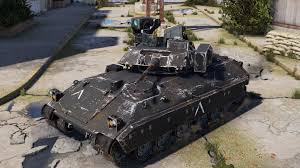
Bradley Drops

Heli Signals
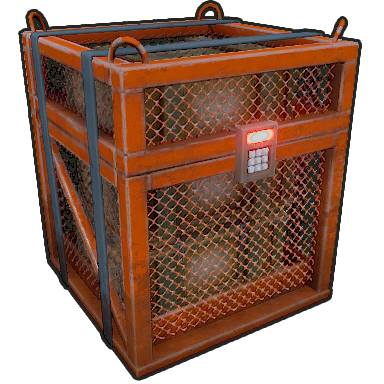
Danger Close
Patrol Heli, Bradley, supply drops, locked crates, Oil Rig, MLRS and Cargo Ship — every native Rust threat on this server, and the players who keep answering the call.
Threat Board
every event type, its champion and the chasing packAccount Settings
Manage your account credentials and sign-in methods.
See every server that holds stats tied to your Steam account, download a copy of your data, or remove yourself. Removing yourself also stops future collection on that server.
Deleting your account permanently removes all your servers and analytics data. API keys stop working immediately. This cannot be undone.
PA Admin
Account moderation & troubleshooting. All server-owner accounts are listed below — or search to find any account (owners, players, members) by email, Discord/Steam ID, username, or #id. Every action is audit-logged.
Server Members
Everyone with access to this server's dashboard. Invite admins by email or link, share the player link with your community, and see who's been around lately.
Invitees with an existing PlayerAnalytics account get access instantly. New invitees gain access the moment they sign up with that email.
Server Reviews
What players are saying about this server. One review per linked Steam account; reviews are gated to players who have actually played here.
Wipe Summary
How the whole server played out, plus each player's own recap — kills, nemesis, favorite weapon and more. Download either as a shareable card.
HeadtoHead
Pick two fighters from the roster below. Blue corner against red corner — every category, and how many times they've put each other in the dirt.
Trophy Room
Badges players earn on this server. Configure them and upload custom art in Server Settings.
Badge Cabinet
Linking System
Players connect their Steam and Discord with one in-game command. Linked players get your perks automatically, boosters are spotted on their own, and you can review or revoke any link here.
/link in gameThe command name is configurable in the plugin.When a server (guild) ID is set, players who run /link are added to your Discord automatically and given the optional role. Needs the PlayerAnalytics bot in your server.
How do I find these IDs?
- ➕ Add the PlayerAnalytics bot to your Discord.
- In Discord: User Settings → Advanced → turn on Developer Mode.
- Right-click your server → Copy Server ID for the guild ID. Right-click a role → Copy Role ID.
- Leave the guild ID blank to switch auto-join off.
Players see a "Join our Steam group" prompt on the link and public pages. Steam can't auto-add members, so we confirm by checking the group's public member list.
How do group rewards work?
Members are added to the plugin's Steam group rewards Oxide group automatically (set in PlayerAnalytics.json), independent of Discord linking. Leave the link blank to switch it off.
The in-game reward group
Linked players are added to an Oxide group automatically and removed on the next sync if they unlink. In oxide/config/PlayerAnalytics.json set LinkRewardsEnabled to true, check LinkRewardGroup is the group your perks hang off, then run oxide.reload PlayerAnalytics.
📥 Coming from another linking plugin?Adopt players it already linked
If your old plugin puts linked players into an Oxide group, point PlayerAnalytics at that group and everyone in it is treated as linked — they keep their reward group, keep their daily link reward, and stop being asked to link something they already did. Set these in oxide/config/PlayerAnalytics.json:
- "Link import — adopt players already linked by ANOTHER Discord plugin, by reading its Oxide group" → true
- "Link import — the OTHER plugin's Oxide group name" → your old plugin's group (find it with oxide.show groups)
- "Link import — remove the PA link when a player leaves that group" → leaves the group in charge of who stays linked
An Oxide group only records who is linked, not which Discord account they are. So these players count as linked everywhere it matters, but Discord badges, the 💜 Booster perk and auto-join stay off until they run /link once themselves — a single command, and the "need real link" count above drops as they do.
Mod Log
Every moderation action on this server, newest first. Use the filters to narrow by action type, admin, or player.
| When | Action | Target | Reason | Admin | Status |
|---|---|---|---|---|---|
| Loading… | |||||
Tickets
Opened in-game, from Discord or right here — every reply syncs across all three.
Server Settings
Everything that configures this server — public info, appearance, moderation, integrations and player-facing features — grouped into the tabs below.
These fields appear in the header strip on every page of your server's dashboard. Owners only — members never see this card.

Pick four colors — the dashboard derives the rest. Changes preview live; click Save to publish them to everyone on this server, Cancel to discard, or Reset to clear back to the default palette.
#060c18
#0d1525
#2e9cff
#1a2a45
0%
100%
Assign badge art to the Oxide groups your plugin is tracking. Drag rows to set priority — every player on the dashboard, roster, and public page renders their top-two badges by this order.
Lets Steam-linked players read in-game chat (and eventually send back) from a floating chat panel on this server's dashboard. Public broadcast only — no DMs, no team chat. Disable any time; queued web messages clear on toggle-off.
{name} and {message}. Rust color tags work (e.g. <color=#ff5050>).
Let general chat flow between your servers, so a quiet one never feels empty. Messages from elsewhere are shown with the server they came from. Only servers on your own account can be linked. Requires plugin v3.2.6+.
{label}, {name}, {message} — {message} is required. How messages from other servers look here.
When a player returns after being away, greet them with a server-wide in-game broadcast, a 24-hour “Returning” badge on your public page, and — if you add a Welcome Back webhook below — a Discord post. A small “the server remembers you” moment that pulls lapsed players back into a full session.
{name}. Optional {days} inserts how many days they were away. Rust color tags work (e.g. <color=#47d4b8>).
Auto-escalation, Discord mirror, and saved reason templates for warn/mute/kick/ban actions.
Quick-pick reasons that appear in the action modals. Use them to standardize wording across admins.
Surfaces pairwise PvP records on the Head-to-Head page — each player's top rivals this wipe, plus a server-wide “most heated rivalries” list. Players can one-click compare and share a rivalry card to your Head-to-Head Discord channel (if configured). Turn off to hide all of it for this server.
Post wipe summaries and other server events straight into your Discord. Paste a webhook URL from your Discord channel (Channel Settings → Integrations → Webhooks → New Webhook → Copy URL).
Get more players into your Discord + stats. Nudge unlinked players to use /link, reward them when they do, and pay linked players a daily reward.
{name} = player name. Rust color tags work.
{name}, {reward} (e.g. "(+5000)"). Granted once per player.
{name}, {reward}. Resets daily; claimed on connect.
Give players a website-style leaderboard right in game — server totals, top-10 boards, and player profiles. Players also need the playeranalytics.leaderboard permission (e.g. oxide.grant group default playeranalytics.leaderboard). Requires plugin v3.1.0+.
Give your #1 players a title in chat — top NPC killer wears [NPC SLAYER], and if someone passes them it moves the same minute. Ties stay with whoever got there first.
Requires the BetterChat plugin, which draws the titles. Without it these are ignored. Requires plugin v3.2.6+.
{title}, {new}, {old}. Broadcast in game when a title changes hands — never when it's claimed for the first time.
Crown the wipe's champions. When your map wipes, the top 3 of each category you enable get rewards — granted in game the next time they connect. Add a Leaderboard Awards webhook in the Discord Webhooks card to announce the podium to your community. Requires plugin v3.1.0+.
What a player sees in-game the moment they complete an achievement. Applies to this server — the plugin picks it up automatically.
{achievement}, {name}, {reward} (e.g. "(+500 RP)"). Rust color tags like <color=#ffd23d>…</color> work.
Define what earns a badge, upload custom art, and toggle presets. Players see their badges + live progress on the Achievements page.
Players can open a support ticket with /createticket in-game, or from the Tickets tab on this dashboard. Each new ticket creates a private Discord channel in the guild + category you specify below; replies flow both ways. On close, PlayerAnalytics generates a self-contained HTML transcript kept forever under the Tickets tab.
- Add the PlayerAnalytics bot to your Discord — button below.
- Make sure the bot has Manage Channels on the target category (the invite asks for it; a category-level override can still take it away).
- Paste the guild + category IDs above, optionally any roles and/or moderators to ping, and toggle Enable to Yes.
/close closes and archives it.
Already added the bot? Clicking again just re-authorizes it (needed if /close is missing) — nothing is removed.
{id} Steam64, {name} player, {amount}. Per-wipe achievements pay each wipe; lifetime once.